Palettes & Rulesets
Keep a growing library sorted without tagging anything by hand. You describe what belongs together once; every clip that arrives afterwards files itself.
The idea
A ruleset is a named condition - "name matches Walk, Run or Sprint". A palette gives that name a colour and an icon. Together they turn a flat wall of clips into something you can read at a glance, and they update themselves as the library changes.
Rulesets also double as filters in the browser: one toggle per rule, combined with AND, and invertible for "everything this rule did not catch".
Building a rule
Rules are built from conditions, grouped with AND / OR.
Fields you can test
| Field | Useful for |
|---|---|
Name | The workhorse - prefixes, suffixes, regex |
Duration, FrameCount | "Anything under half a second is probably a fidget" |
IsLooping, IsHumanoid, HasRootMotion | Structural properties |
IsInsideFbx | Clips still living inside their source FBX |
UsageCount, SceneUsageCount | What is referenced - and what is not |
EventCount, AudioEventCount | Finding clips nobody wired up |
Version | How many versions a clip has |
LastUpdated | Recency |
Character, CharacterName, BoneMatchScore | Rig-related filtering |
IsFavorite | Your own marks |
Operators
Equals, NotEquals, Greater, Less, GreaterOrEqual, LessOrEqual, StartsWith, Contains, Regex, and four date operators: OlderThanDays, NewerThanDays, WithinDays, NotWithinDays.
An example
"Unarmed locomotion, under two seconds":
Name        Regex          ^(Walk|Run|Idle)
AND  Name   NotEquals      *_Weapon*
AND  Duration  Less        2.0
Or the one that actually earns its keep - "everything the boss rig uses that still has no audio":
CharacterName   Contains   Boss
AND  AudioEventCount  Equals  0
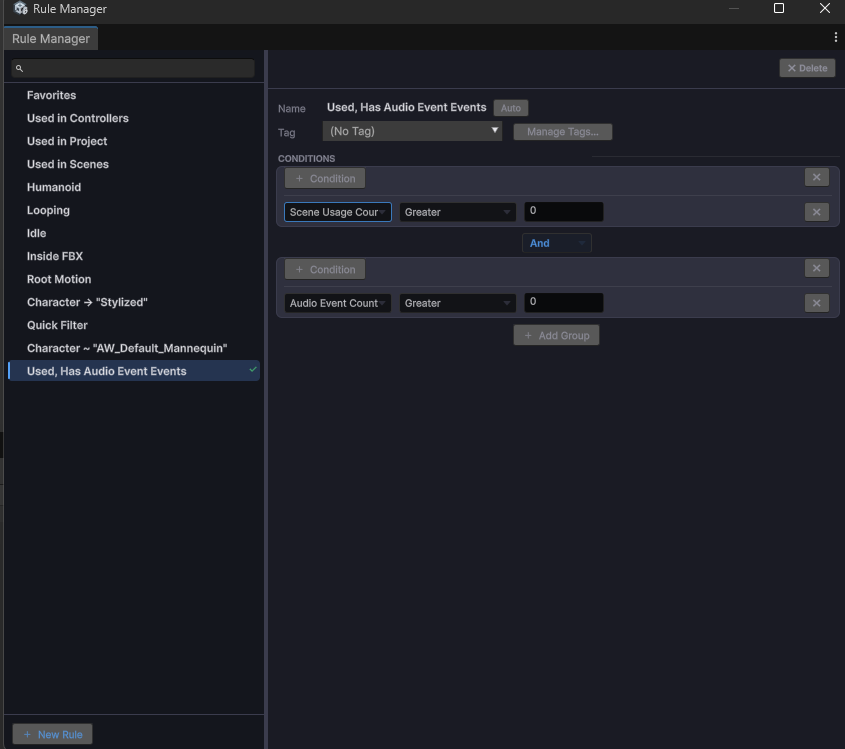
Saved rules run down the left - the built-in ones like Humanoid, Looping and Inside FBX alongside your own. Add Group is what turns a flat list of conditions into real logic: groups combine with AND or OR, and each group holds its own conditions.
Palettes
A palette holds the visual side: colour and icon per group. Assign a palette entry to a ruleset and every matching clip is tinted and badged in the browser.
Palettes also cover the keyframe editor's look - key colours and shapes, muscle-group tints on the timeline. Those are Pro; see Lite & Pro.
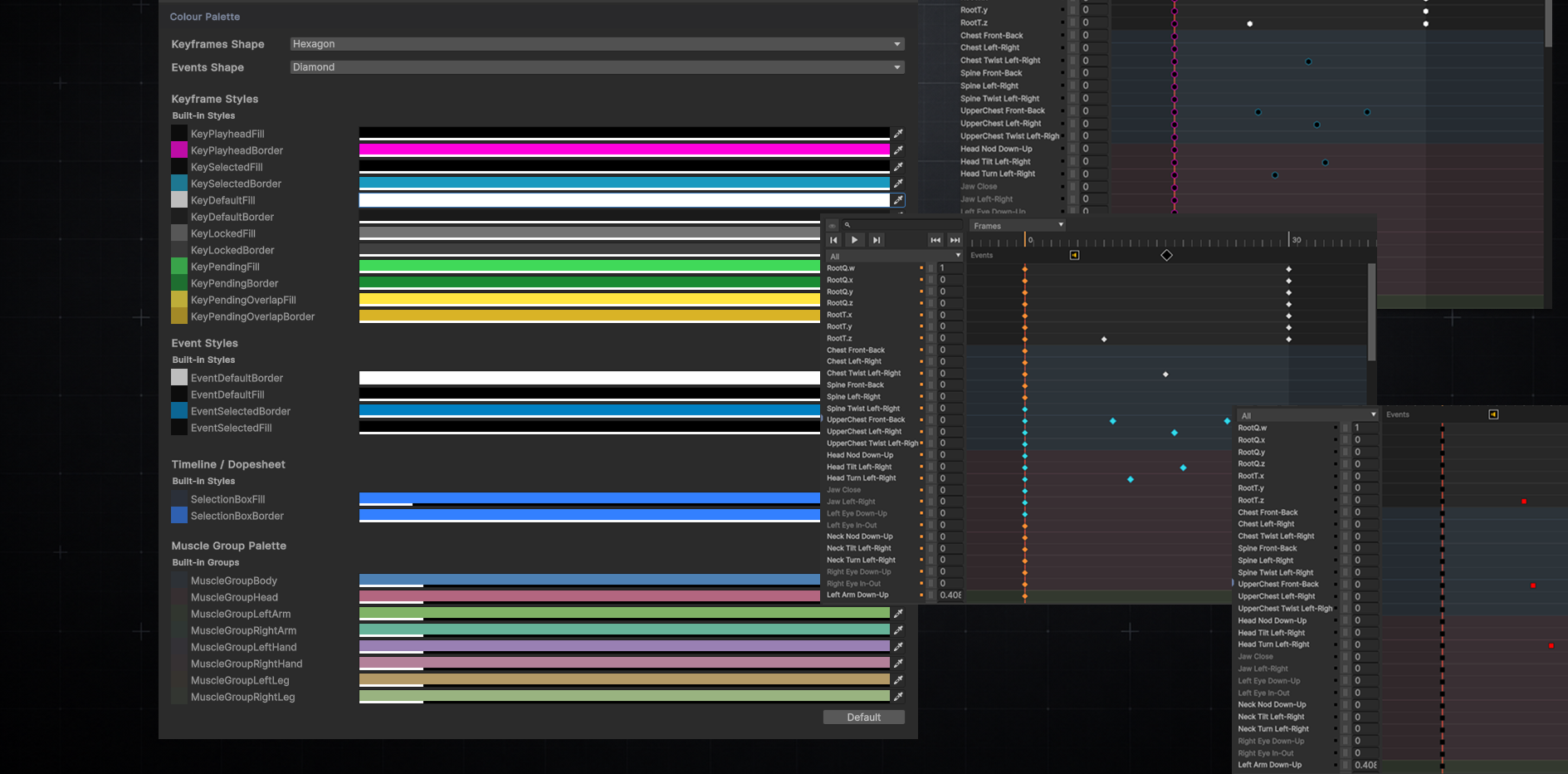
Every state a key can be in has its own entry - default, selected, locked, pending, pending-overlapping - and the muscle-group palette tints whole bands of the dope sheet, so left arm and right leg stay apart at a glance on a rig with two hundred rows.
Quick Filter
For the question you only have once. Build an ad-hoc rule with the same condition builder, read the live result count while you assemble it, then throw it away - without spending one of your saved rules on it.
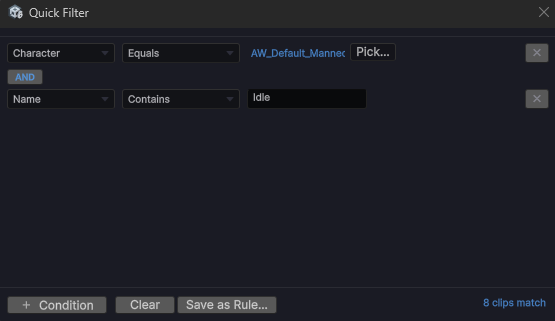
Note the two things at the bottom: the live match count updates as you build, so you know whether the filter is worth finishing before you finish it - and Save as Rule… promotes it to a permanent rule if it turns out you want it again.
Quick Filter is a Pro feature.
A typical setup
- Create a palette with entries like Locomotion, Combat, Cinematic
- Create a ruleset per entry - start with
Name / Regex, refine later - Import new animations and watch them fall into place
Lite includes one custom rule on top of the built-in defaults; Pro is unlimited.